Bad PDF color rendering on iPad

Just a quick note today (since I haven’t written anything in months) about PDFs on the iPad. As part of my job, I get to work with some really awesome designers. In the last two apps we have occasionally noticed some issues with how colors appear when viewing a PDF on the iPad. This has only been an issue with a handful of PDF’s but if you have a product brochure that looks great in print we want to it look amazing on the screen as well.

In our particular case, we had a lot of purple tones that were appearing blue and pink tones that looked purple. The saturation also appeared more intense and while the images and text were crisp, the colors just looked slightly (or on some more severe occasions) completely off. If you have experienced this, apparently the iPad does not do a great job of rendering PDF’s designed and saved as CMYK.

Various attempts to fix it

I discovered several differing opinions on both the cause and resolution as I scoured the net. One suggestion was to open the pdf in Preview and re-export with the Quartz option to reduce file size. I tried that and it did not work. I also attempted creating custom filters in Apple’s ColorSync Utility. I still am guessing there is a way to make that work but my attempts failed.

Something that worked for me

Finally, I found a posting on a discussion board suggesting converting it to sRGB with Adobe Acrobat Pro. That fixed the problem! For my version of Acrobat, the option was found under View->Tools->Print Production. This brought up a side menu. The option that worked was under Preflight->Convert to sRGB. Double click that and save the corrected pdf.

As always, there are a lot of great ideas strung around discussion boards but sometimes you have to dig a bit to find something that works. Hope this helps someone get to a solution faster.

WWDC 2012 – Opening Day

Whoa! Hey! It has been a really long time since I have posted anything new and for that I am truly sorry. Looks like my last update was from The Big Nerd Ranch’s incredible Advanced iOS class near Atlanta. Interestingly, a few months later, I find that my next post is from the World Wide Developer Conference in San Francisco – WWDC 2012.

Nearly 2500 miles and hundreds of hours of development time exist between these great developer experiences and I find myself working harder than ever developing new apps and crunching as much iOS knowledge as possible. I have a lot I would like to say about what I have been doing since my trip to the BNR but for now I want to focus on today’s Keynote.

Last year around this time, I was attending my very first WWDC and was able to see Steve Jobs do one of his last (if not the last) presentations. It was amazing to get to see and hear him live! His enthusiasm and presentation style can fully energize a room like none other that I know. I truly missed the way he would always save something special and spectacular for the end – “…one more thing.”

This morning we didn’t have Steve nor “one more thing”, but that didn’t stop the crowd. WWDC 2012 sold out in 1 hour and 43 minutes. Thanks to some great friends, I was one of the exuberant few who were fortunate to purchase a ticket.

This morning, I slept a bit later than I did on Keynote day last year but still joined the line 2.5 hours before show time. At that point it wrapped completely around the block surrounding Moscone West with many people already inside. Regardless, we slowly marched around the block to roughly where we had started over the next 2+ hours. The weather was beautiful with pure blue skies and tremendous amounts of hot sunshine which was in surprising stark contrast to last year’s weather.

Despite my late arrival to the line, I was fortunate enough to get into the main room and make my way up one side about half way up the room just a couple of minutes before a special introduction to the conference from Siri. The Siri intro was quite comical and set a great tone for Tim Cook to take the stage. Tim doesn’t yet have Steve’s presentational polish, but it was clear over the next couple of hours that he has successfully led the team of magic elves that reside in Cupertino. They have really been cooking some great stuff since WWDC2011.

Three main announcements were featured: updates to the Mac notebooks, updates to OS-X, and updates to iOS. All three had nuggets of goodness that caused many a developer to sit straight up on the edge of their seat.

The next generation MacBook Pro really is pretty amazing. Not only is it absolutely beautiful, the resolution and performance appear to be top notch. I really wish they had released this a month ago when I had to get a new MBP! The attention to detail and care in even the placement and efficiency of its fans received huge approval from the audience. It is hard to imagine running a screen with 2880×1800 resolution!

The Mountain Lion update for OS-X is set to arrive next month (July) and is only going to cost $19.99 to upgrade all of the computers in your household! The features of particular interest to me are full air-play support (I have two AppleTV’s and AirPort Express so big YAY), more iCloud integration, Reminders, and iMessage! With these changes, I may actually move to Reminders and off of Google Tasks. I have been wanting completely integrated reminder functionality across all of my devices for a long time! If your home computing and mobile ecosystem is completely Apple, you will really benefit from this release. Notification and Safari updates are pretty sweet too.

The area of most professional interest to me is the announcement of iOS6. As with Mountain Lion, there were more than 200 new features added. The biggest new feature here is a completely new mapping system. Google Maps has been replaced and while I was skeptical when I heard the earlier rumors, the demos today were amazing! We FINALLY get turn-by-turn directions but with Siri integration. I know my Google friends are laughing as they have had turn-by-turn for years. Regardless, the integration of features now has a very complete feel to it. When demoed, the progression of asking about restaurants, seeing the map complete with 3D flyover, and integration with Yelp for reviews and Open Table for reservations looks elegant and has that fluidity and user experience finesse that makes you feel like it has always existed and just works.

Well, I need to get to sleep as day two starts tomorrow! I have taken many pictures and will hopefully update this to share some shortly. Not sure if it will be this week as the wireless in our hotel is more than a bit spotty especially since it is full of people downloading the latest updates and betas.

Happy WWDC 2012 everyone!
Day 4 at the Ranch – Zip Line Day!

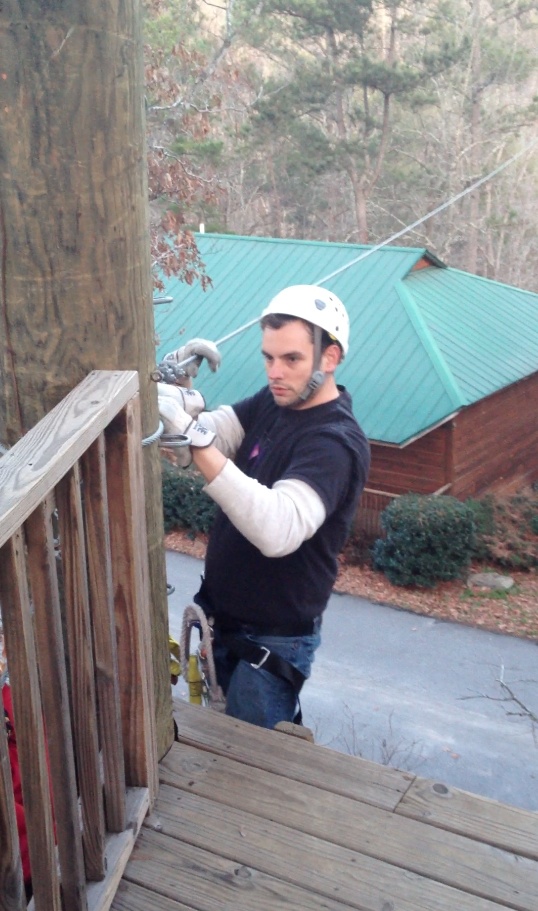
Yo big nerds!  Today was the last full day of training at the Big Nerd Ranch.  We jpbZiplineonly have a half day tomorrow before starting the long drive home and consequently this will probably be my last post on the topic.

For anyone considering training for iOS, advanced iOS, Python, Ruby on Rails, OpenGL, or Android I cannot recommend this place enough!  The week has truly been amazing!  You would think after all of the hours clocked behind this computer listening to instruction on advanced iOS topics I would be tired but I am still full of energy and excitement from the week.

The people here have been great.  I have tried to meet and talk to as many fellow classmates and instructors as possible and the discussions have been fantastic.  We have a surgeon, folks from the two biggest computer companies in the world, independents and entrepreneurs, companies big and small, etc.  They hail from all over the world and have converged upon these small cabins in the middle of nowhere Georgia to share stories and learn from the masters in iOS development.

Today’s topics included mapping a live video capture stream onto an OpenGL texture map, many demos from our classmates and teachers, UIScrollBar magic, and deeper looks at Grand Central Dispatch and the NSOperationQueue.  We had another late night session tonight as well on Computer Vision.  My list of “cool” app ideas and enhancements to my current apps has been growing all week.  If only I could figure out a way to skip sleeping!

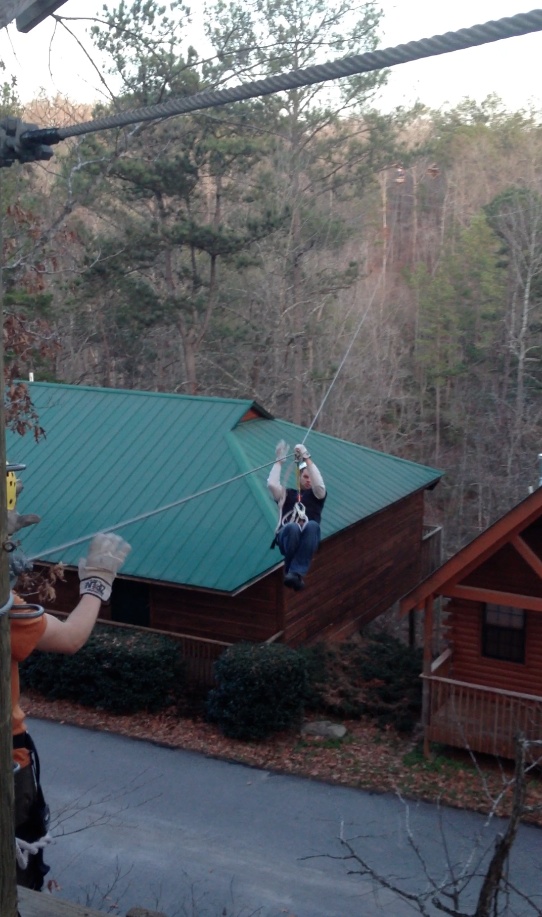
If you have read my previous posts this week you may remember my fascination in those zip lines here at our class location – Historic Banning Mills.  This afternoon we took a break from studying and several of us got to do this!  I have to admit for the last hour leading up to the departure I was feeling pretty uneasy and anxious as I didn’t know what to expect.  My nerves were getting the best of me.  Somehow I ended up being the last in our group to go down the first wire but WOW what a RUSH!  The wind and the height and the speed!!!  For our very first run we “flew” over the Snake Creek in the gorge far below.  I didn’t see it too well because I was clinging to the straps for my life but about part way thru I realized THIS IS REALLY FUN!!!

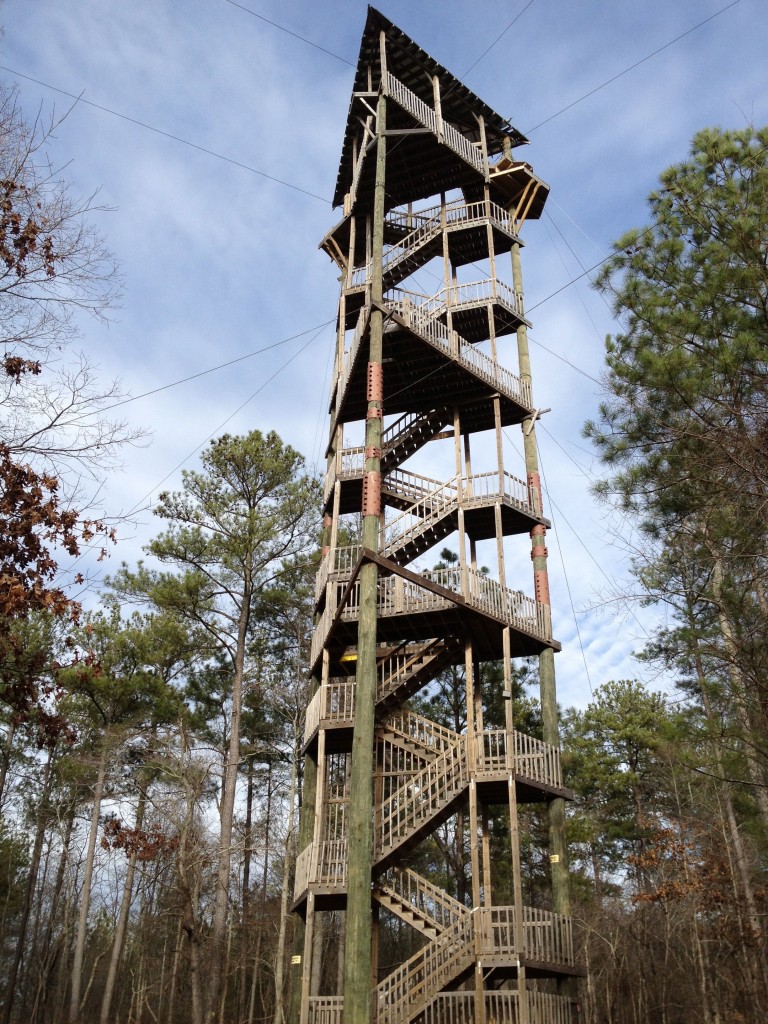
Next up we did a series of sky bridges that I actually found a bit more stressful than the high speed run.  We climbed from tree to tree across bridges of less and less material.  What the heck?  DId they run out of wood boards? Did they use IMG_1027-768x1024them all up building those massive towers?  🙂  Nope just part of the challenge.  Many times we were only walking on single cables but I have to admit it really was fun!  I even jumped up and down in the middle of one of them!

Anyway, thanks to the folks at the Big Nerd Ranch, the folks at Banning Mills and the Screaming Eagle Zip Line Tour for a truly memorable and incredible week!  I really hope I can come back for another class in the future – maybe OpenGL or some more advanced Mac development stuff…

Time to go pack up my stuff so we can leave tomorrow…

jpbZipline2


Day 3 at the ranch – Development is exciting again! Bezier Curves, FFTs, Matrices oh my!

Time for my end of day ponderings for day 3 at the Big Nerd Ranch.

I thought about this a bit yesterday but today it really struck me.  This class and really the power that the iOS framework provides really taps into every major point of interest I have in software development and technology.  I have not gotten to think about some of the concepts we have discussed here since my days studying electrical engineering at UC or my time at ITI working with graphics modeling and Open Inventor.  For me, this week has truly been a wonderous trip down memory lane.  I feel like I am in the Land of Oz.  Thanks to the instructors – Jonathon Blocksom, Jonathon Saggau, and Michael Ward for that trip!

While we have covered the Cocoa frameworks in a broad, sweeping sense, the Jon’s and Mikey have added interesting historical viewpoints and perspectives.  Bezier curves and surface normals take me back to fond memories struggling with the challenges of writing CAD/CAM data translation software and 3D model viewers.  Those days were really the most challenging and fun in my career and while I still have fun today, I miss some of that excitement!  I left the engineering software realm  to go into corporate IT web development many years ago.  Now with my present focus on mobile development and the driving market forces of the day I find that I may be ready to go full circle.

How and why?  Demands for advancement in software development in the corporate IT field used to drudge along – typically held back by operations and security teams not wanting to move forward so as to protect things the way they are.  With so many people now owning iPhones, iPads, and Android devices consumer expectations towards technology and above all the user experience has totally changed.  This demand will drive us in the IT field to do better! The boring days of Windows and the status quo are thankfully over!  Note this is an opinion piece and certainly I am sure some of you have a different one.  Regardless, it is my belief that the opportunity to develop really cool, engaging, and challenging apps will now be forced upon every business entity or the consumers will simply move somewhere else.  So to the simple, boring, 1980s style web forms and ugly web pages of the 90s I bid you adieu.  To developers without passion, you are going to miss out on a lot of fun!

Today one Jonathan led us thru the power of OpenGL ES and GLKit.  Yes I know OpenGL has been around for years, but most developers have never had to worry about it.  Unless you are writing video games why would you care?  Again, I can see a lot of people caring about this a whole bunch as we are forced to develop solutions that become more engrossing and more 3D.  Good grief Dominoes Pizza even has a game now.  I have been looking forward to a business need to get back to 3D development and this is it!

FFTs?  What is that?  Fast Fourier Transforms are something I haven’t looked at since my Signals and Systems class at UC.  I use pitch shifting (just one of many uses for FFTs) quite a bit as a musician but never had the chance to work on incorporating that into a development project until yesterday.  Again, it was great to have this discussion appear in the class.  The possibility and capability afforded by today’s consumer grade hardware is truly astounding!

More than anything this week I have began to appreciate the parallels at the technical level between two of my favorite things – audio (MUSIC, MUSIC, MUSIC!) and video and the power that Apple’s collection of frameworks has given today’s developer to create new things using both.  The mathematics using linear algebra, modifications with filter chaining, and low level patterns for hardware acceleration are common to both.  I haven’t been this energized about development for many, many years!  It was pretty hard to get excited about SOAP and EJBs.  Yesterday I tweeted that I had spent more time in this computer lab than any other time since college and I have truly enjoyed every minute of it.

The one sad note for the day…  It rained so unfortunately no afternoon hike and thus no new pictures.

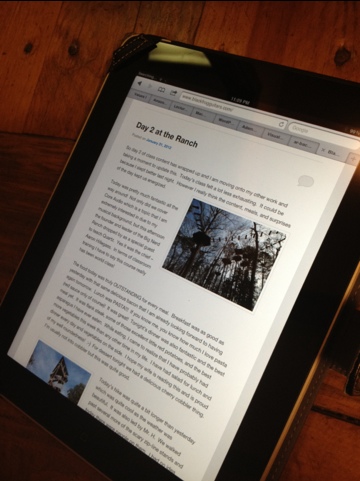
Day 2 at the Ranch

So day 2 of class content has wrapped up and I am moving onto my other work and taking a moment to update this.  Today’s class felt a lot less exhausting.  It could be because I slept better last night.  However I really think the content, meals, and surprises of the day kept us energized.

Today was pretty much fantastic all the way around!  Not only did we cover Core Audio which is a topic that I am extremely interested in due to my musical background, but this afternoon the founder and leader of the Big Nerd Ranch IMG_1011-1024x768dropped by as a special guest to teach Quartz.  Yes it was the chief – Aaron Hillegass.  In terms of classroom training I have to say this course really has been world class!

The food today was truly OUTSTANDING for every meal.  Breakfast was as good as yesterday with that same delicious bacon that I am already looking forward to having again tomorrow.  Lunch was PASTA!!!  If you know me, you know how much I love pasta (red sauce only of course)!  It was great!  Tonight’s dinner was also fantastic and the best meal yet.  It was flank steak, some of those excellent little red potatoes, and the best asparagus I have ever eaten.  While eating, I came to realize that I have probably had more vegetables this week than any other time in my life.  I have had salad for lunch and dinner every day and vegetables on the side.  I hope my wife is reading this and is proud of my well roundedness!  🙂  For dessert tonight we had a delicious cherry cobbler thing.  I’m usually not into cobbler but this was quite good.

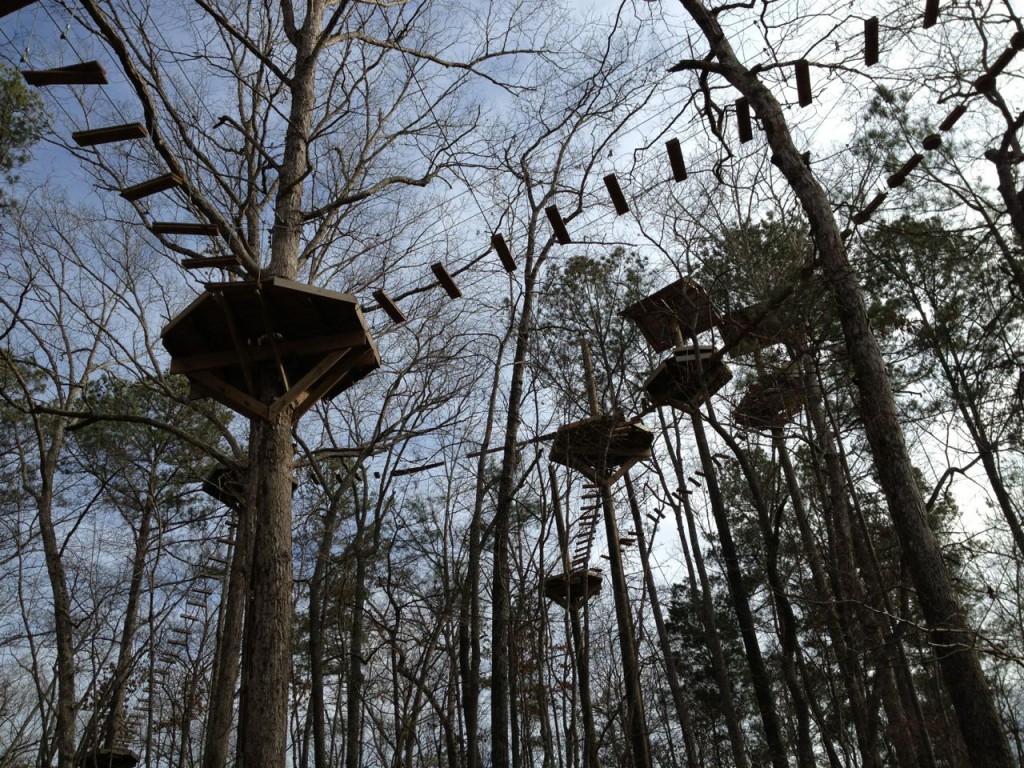
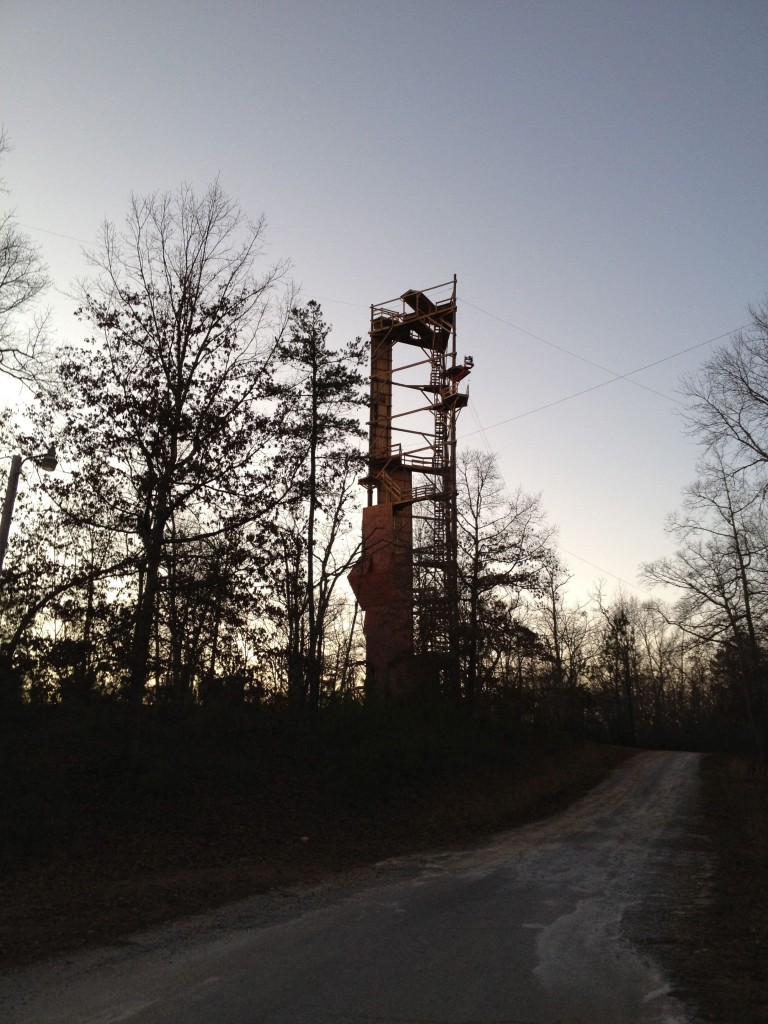
IMG_1013-768x1024Today’s hike was quite a bit longer than yesterday which was quite cool as the weather was beautiful.  It was also led by Mr. H.  We walked past several more of the scary zip-line stands and today there were people on them.  I had no idea they could move that fast – up to 60 miles an hour.  YIKES!  Many of these lines cross the big stream and are several feet up.  Check out the pictures.  I was told on the hike that the folks here pride themselves on having one of the best zip courses in the world.  It is a truly a sight to behold.


So now more about the technical parts of the day.  Again we covered a lot.  This morning was quite a bit of very low level stuff from Core Audio.  We did some real time voice effects and then later some pitch modulation.  I have always wanted to look into audio processing on the iPhone but never gotten around to it.  There are many options for getting sound out of an iOS device and the option we looked at today was about as low level as it gets since we were recording and playing back plus modifying that stream in real time.  Consequently the amount of boiler plate looking code to do all of this was PDU (pretty damned ugly).

This afternoon we focused a lot of time on Quartz, Core Text, and printing (air print).  The exercises here were great but again required a lot of low level coding.  Aaron led this section and showed us the Objective-C APIs followed by the C ones.  The C ones are what we focused on as they appear to have the most power but man are some of the interface calls ugly!

For example, some of the core text function calls require a CFDictionaryRef.  Creating it is the ugliest thing I have seen yet in iOS development.

CFDictionaryRef attrs = CFDictionaryCreate(kCFAllocatorDefault,
                     (const void**)&keys,
                     (const void**)&values, 2,
                     &kCFTypeDictionaryKeyCallBacks,
                     &kCFTypeDictionaryValueCallBacks);

I love OO development – Objective-C, Python, Groovy, and Java and thought I had pretty much seen the last of C years ago when I was writing CAD/CAM software but today proved that I was wrong!  As you have now seen we had to mix C, C++, and Objective-C in today’s exercises.  Yes folks malloc and free still are still in heavy use even in 2012.  I would like to see Apple improve and simplify some of this stuff though.  I’ll be anxious to see what they announce at the next WWDC.

Anyway, day 2 rocked!


Day 1 at the ranch

Day 1 –

So day one of our training is wrapping up.  Yeah there are a bunch of us still in the lab at 9:30pm after starting at 9am.  This is the very first time they have offered the advanced iOS class and consequently we have discovered several small problems with the materials but that is to be expected.  To compensate, we have not one but three excellent instructors here with us and I have to say despite the exhaustion of the long day I am learning a lot.

We took a short break around 3:30 to hike around outside.  The weather is such that I almost didn’t need a jacket which totally ROCKS since it is January.  The weather here really makes me want to move south.  In terms of ground covered, I didn’t really cover any new territory than what I saw by myself last night but it was great to get outside, enjoy the beautiful surroundings, and rest my mind.  Every time I go outside I am staring up at those zip-line cables.  I have yet to see anyone on them but man are they impressive.  Some of the stands are WAY up in the air and some are literally just a few boards wrapping a huge tree with no ladder or stairs.  It looks like it would be fun and terrifying.

IMG_1007-1024x768What about the food?  Anytime I travel anywhere I always panic about food since I have the gourmet palette of a 12 year old.  The folks that run the Banning Mills facility have been awesome for accommodating my crazy cheese-free, simple, diet.  Right off the bat, they had a salad prepared for me without cheese!  Woo-hoo!  The main course last night was some sort of stuffed chicken and mine came without the cheese sauce!  Again I was impressed but really didn’t care for it since it had the stuffing.  Today’s food however has been great starting with a very good breakfast with fresh fruit and bacon.  Lunch was chicken legs and corn on the cob both which were very good.  Dinner was something new (for me) called Souvlaki.  It was a pork loin with greek seasoning on skewers.  It was actually pretty good!  Dessert was apple crisp which I decided to try since I am being adventurous and it was good too!  All said, I am eating well and I am really thankful they have honored my strange requests.

So what did we cover today?  We started with Storyboards and in particular custom segues.  This gave me a chance to experiment with some Core Animation effects I had never seen yet.  We then moved into the core image framework and filtering.  The variety of options available in this API is impressive especially since it is new with iOS 5!  We did a nice lab with face detection.  We also applied various filters (like sepia) to any photo picked from the photo library.  I finished the lab early so was able to experiment with some other filter effects.  Note that filters can also be chained together which can give you a lot of power.

We continued with more Core Animation and then wrapped up with Core Motion and using the 3rd party Core Plot framework.  Both labs involved a lot of typing and debugging but ended up with sample apps that were quite awesome.  Yes that was a LOT of stuff to cover in one day but every part of it was cool and revealed something new that I hadn’t seen.

The lessons and labs are interspersed with some great productivity tips.  For example control->command->up and down arrow are shortcuts for flipping between your header and implementation files.  Simple tip, but I have probably used it 50 times since it came up this morning.  It is one of those conveniences that is etched in my mind now.

Though we have seen a few issues with the lab manual, they are kind of a blessing in disguise.  The best way to get deep knowledge of anything is to challenge yourself and wrestle with a problem.  These minor issues, when they have occurred,  have caused us to dig deeper.  Looking forward to another great day tomorrow!

Hello from the Big Nerd Ranch

IMG_0996-768x1024Howdy partner!

It was a long day of driving but we are here! We left around 9 am and drove straight from Cincinnati to the south-west side of Atlanta only stopping for gas and a short lunch at Fazolis.

The last several miles were just 2 lane roads which seemed to take forever but we had a nice marathon session of audiobooks and NSBrief podcasts to listen to.

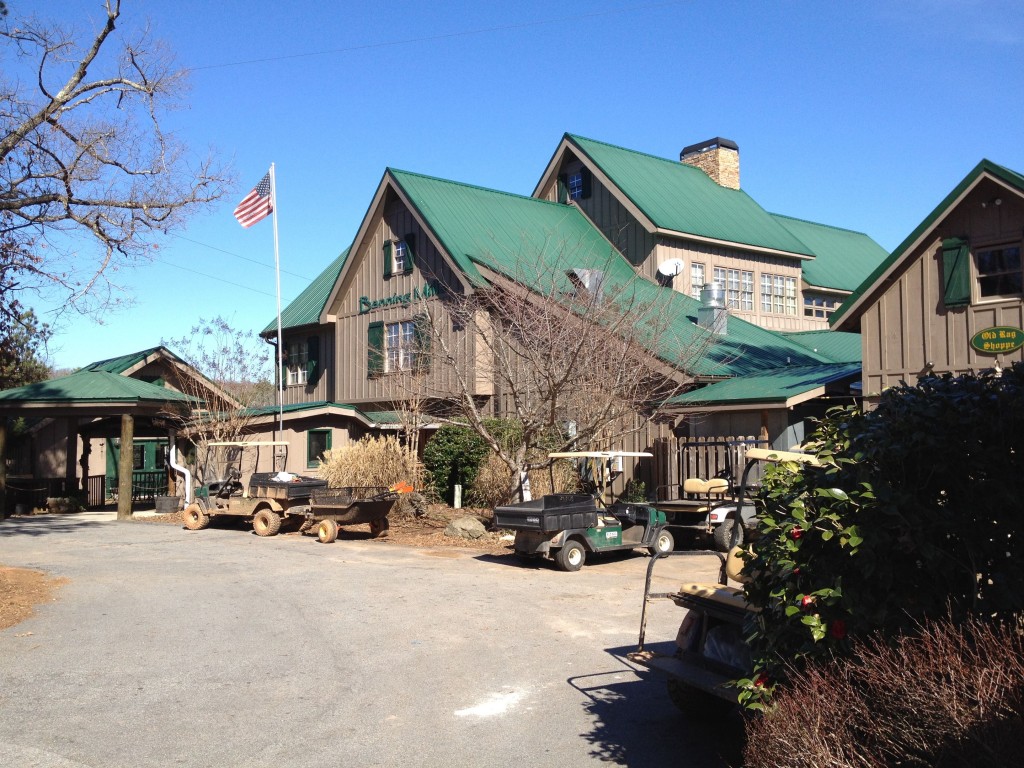
After driving deeper into the middle of nowhere we ended up at the red dot on the iPhone GPS – Historic Bannning Mills. When we got here, we weren’t sure we were in the right place. There were a bunch of cabins in the woods and zip-line tree stands all over the place. It looked like a fun place – really not what you’d expect from typical training – though we are not expecting typical training – this is an Advanced iOS bootcamp after all!

IMG_0998-768x1024At the bottom of a hill was the main lodge building which I’ve got to say is really cool inside. I love lodge-style architecture and this one has the essential heavy exposed wood beams, large stone fireplace, cool spiral wood and wrought iron stair case, and the quintessential nice assortment of stuffed animals. Some nice soft bluegrass music is playing here as I type this.

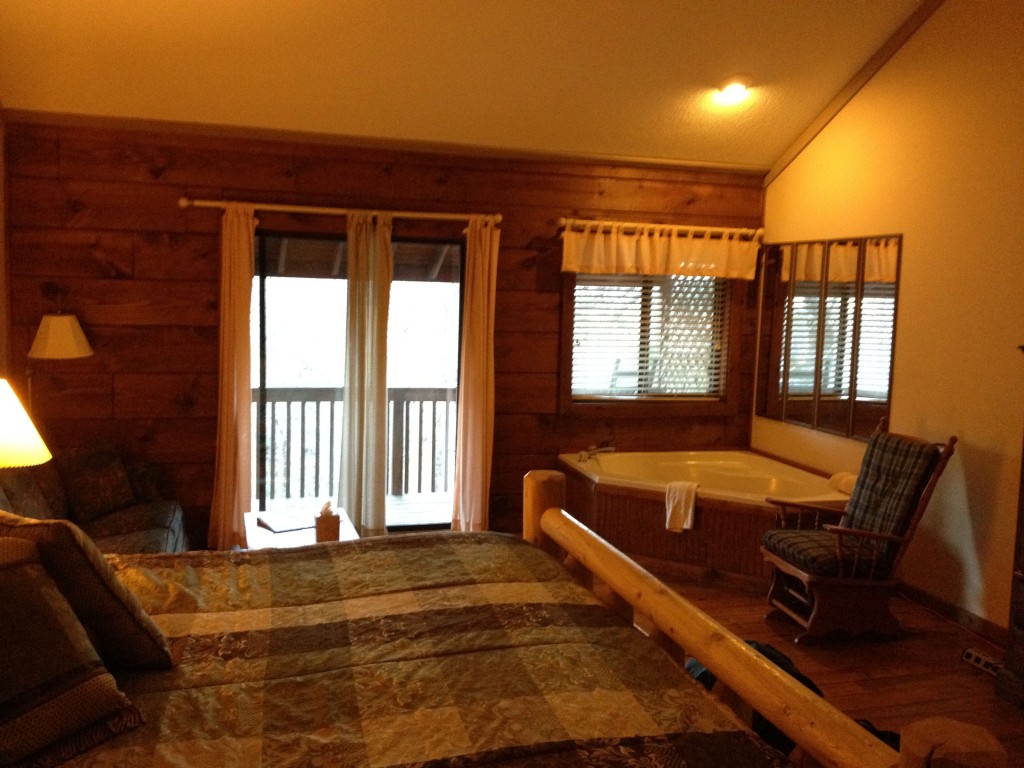
My cabin is pretty nice too! I don’t like cold so I was very pleased to see that I have my own gas fireplace. Actually it looks more like an old wood IMG_0971-1024x768burning stove but it can generate heat! The corner of the room has a big whirlpool tub which I really doubt I will have time to use but it makes the room look nice. The balcony in back has a great view of the stream in the valley below complete with the nice subtle roar of the small waterfalls. If it was warmer, I would leave the door open!

IMG_0987-768x1024Before dinner I took about 15 minutes to quickly explore the nearby trails. From the map, it looks like there are trails everywhere. I love hiking and exploring so this is really cool! There are ruins of old buildings and an old dam.

All kidding aside, this looks like a great place to focus and learn isolated from the hustle of the nearby city. I doubt I am going to have any time for ziplining or much time to hike though I will try to get out for a few minutes if we have breaks!


The syllabus looks broad and intense. It covers a lot of things that I am really looking forward to hearing more about. Class begins tomorrow at 9am sharp!

I am still here!

Hey everyone! It has been a while since I have written anything yet I have been hearing nice comments from many of you regularly for several days. Thanks EVERYONE for stopping by. How you find this site is a serious mystery but somehow you find it. The number of visits and diversity of locations from which you are from is very cool! It is really meaningful to see things have started to take off.

So what have I been doing? I have been working a LOT of hours lately both with my day job and some other side projects. Also my wife had knee surgery so I have been quite busy helping out around the house. Consequently my writing time has been lacking. It hasn’t been bad though. The work has been a lot of fun! I have been learning a lot about core animation and listening to the Stanford University Advanced iPhone classes during my daily commute. These are a great FREE resource if you are interested in learning more about iOS. Apple development is a blast and the tools and API really give us developers a lot of power.

I did take a break a couple weeks ago from the development activities to meet again with the band. We hadn’t practiced in months but wanted to meet and record some demo material in case we do try to play out later this spring. The recording sessions went quite well overall and my buddy and bandmate Steve has been mixing the songs all week. We recorded seven and of those he thinks 3 or 4 sound really good so I am anxious to hear the final mixes and figure out how to share some of them with you.

So what’s coming up? I started writing an article on “A day in the life of my iPhone” that I hope some of you will enjoy. It is close to being done and I am anxious to share it and hear back from you. I am also packing up to head out to the Big Nerd Ranch near Atlanta next week for their Advanced iOS Boot Camp and really can’t wait. I have been looking forward to this class ever since it was announced!

Danger Will Robinson – iMessage isn’t always free!

Note to all my friends that have iPhones. You may be getting charged for iMessages that you thought were free. I just got my statement from AT&T and saw charges I didn’t expect for messages between my wife and I.  This amounted to nearly $10 in extra charges just this month.

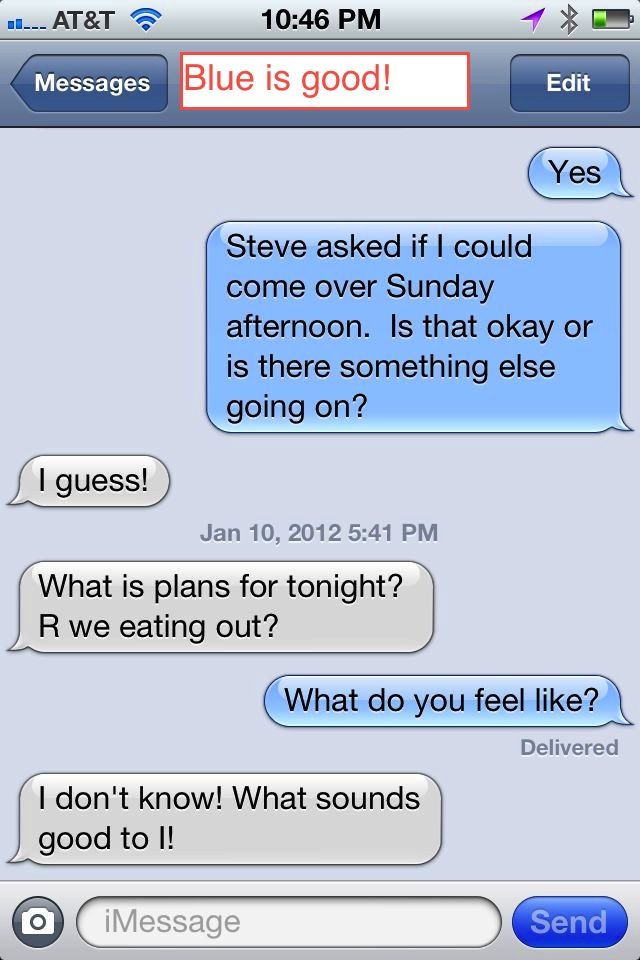
Remember in your message app that if your message bubbles are blue, the iPhone is using iMessage and not traditional text/sms messages. This is only available on iOS 5 and later and only when txt’ing with another iPhone user who has iMessage working.  If you have an iPhone 4S you will be good!  Older iPhones should be upgraded. However, you also need to make sure it is turned on for your phone.  How will you know?  If your message bubbles are green you are not using iMessage.

The following picture shows what it looks like when you are not using iMessage and thus being charged.   Green bubbles means that you are definitely paying for text messages:

IMG_0807


This next picture shows what it should look like with iMessage.  In this case you shouldn’t be paying for text messages (but may if it falls back to SMS-read full article for details):

IMG_0804


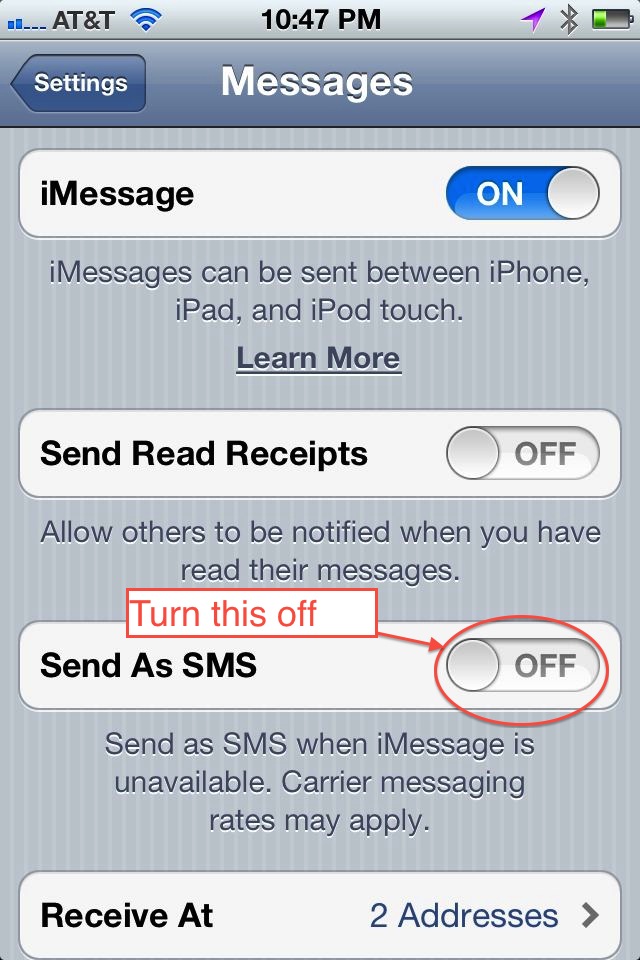
iMessages are free because they are sent over your data plan. They can save you a ton of money. While researching these charges, I discovered that by default your iPhone will fall back to SMS if you are in an area where your data signal is restricted.  Judging by the number of charges on my bill last month, this happens more than you might think!  This can be quite misleading as you may see the familiar blue bubbles but still have a charge for it.  I don’t know if this is a glitch as I would expect that the messaging app should turn those bubbles green in this case but it didn’t for me.  In order to turn this fall-back behavior off, you will need to go into the settings app and turn it off.  Once in settings, scroll down to messages and then you will see the following screen.  Turn off the “Send as SMS” option.  Note that if you don’t care about saving money and always want your messages to be delivered regardless of how good your data signal is, go ahead and leave it on.

IMG_0806

Once I figured out what was going on, I called AT&T and experienced the best customer support I have ever had with them. They suggested that I might want to turn on “Messaging Block” to completely avoid any further charges like this. It is free to turn this on and it will block all further text messages on your phone. I immediately did this for all of the phones on our plan. She also offered to wave all fees that had been charged.  Yippee!!

So in summary:

  1. Check your bills and know what you are paying for
  2. Make sure you are using iMessage (blue bubbles)
  3. Make sure your friends are using iMessage (if they don’t have an iPhone or don’t have it turned on) you won’t be able to use it with them and you will see green bubbles.
  4. Be cautious of hidden charges if you leave the SMS fallback on
  5. Never pay for a text message when they should be free!. If you want to make sure you aren’t paying for ridiculously overpriced text messages, block them! I use iMessage for my iPhone friends and Google Voice for my friends with other phones.

For my non-iPhone friends, just use Google Voice for everything.

Warning – Understand the risks – Make the educated choice as to whether you really want to turn off the SMS fallback option.  If you want to guarantee that your messages are received (like for an emergency) you probably want to leave it on.  The reliability of messages sent over iMessage with the SMS fallback off is totally dependent on your data connection.  If you OR your messaging buddy get into a dead zone where data is unavailable, messages could get lost.  Ideally, it will queue these messages until you reach an area where data is available again.

I would recommend a conversational approach to using iMessage.  For example:

  • Me – “Hey are you there?”
  • You – “Yes”
  • Me – “Dinner is at 6”

There is an option to send receipts if the message is received too.  You can always turn this on for all of your family members and that will also help.  Happy messaging!

My Computer Museum

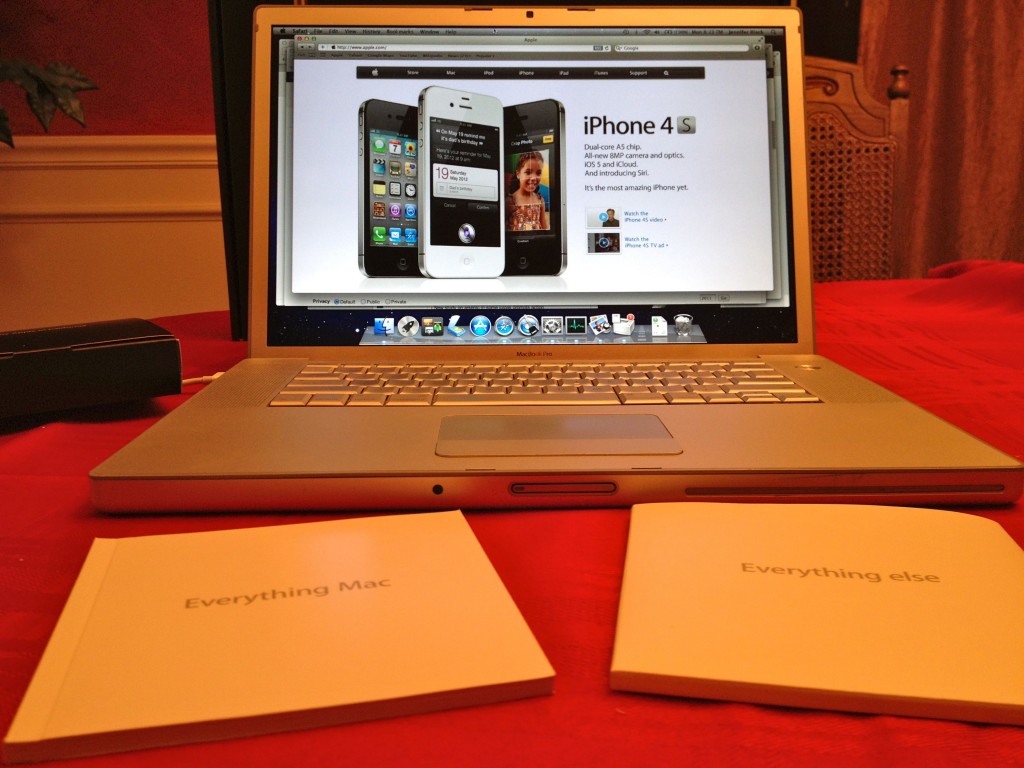
Well I finally did it. “Did what?” you say… Listed my first awesome and lovely Apple computer on ebay. This was my first MacBook Pro – a computer I talked about buying for probably 3 years before I actually pulled the trigger and spent the money. You see I really never cared much for the Macintosh until OS-X. I loved UNIX and in particular the SGI  and SUN Workstations I used to do my job. It wasn’t until after Steve Jobs returned to Apple and after the Classic Mac OS (OS-9) was replaced that I became interested in what these machines could do. My general rule of thumb has always been if I can’t get to the shell, it isn’t a real OS.


As I listed this machine on ebay I began to think about how many computers I IMG_0793-1024x768have bought, built, given away, traded and sold. Pleasant memories of some my favorites started coming to mind and I started listing them out. If you don’t like computers this post probably isn’t for you!

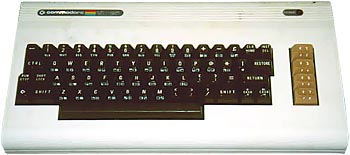
It all started around 1980 with my first computer, the Commodore Vic 20. I can remember pretty clearly that my brother and I had asked (no begged) for an Atari 2600 for Christmas. Our friends had them and the games were amazing. My dad thought that if we had a game machine we would just play games and never learn anything and he was probably right so that Christmas instead of the 2600 we found a rather ugly off-white plastic keyboard under the tree called a Commodore Vic-20. I don’t think we had any games with it though it did have a cartridge slot in the back. Later we did end up getting Cosmic Crunchers and the Temple of Asphai (on 6 cassette tapes).

If my dad had caved on the Atari, I may never have experienced the life that I commodore_vic20_1have. I may have never had an interest in computers and software and mobile devices, HTPC, automation, engineering, computer animation, art, music, and on and on… That computer, that plain looking little box hooked to the tv with a cheap RF modulator was the beginning of an obsession that continues to this day. Thanks mom and dad!


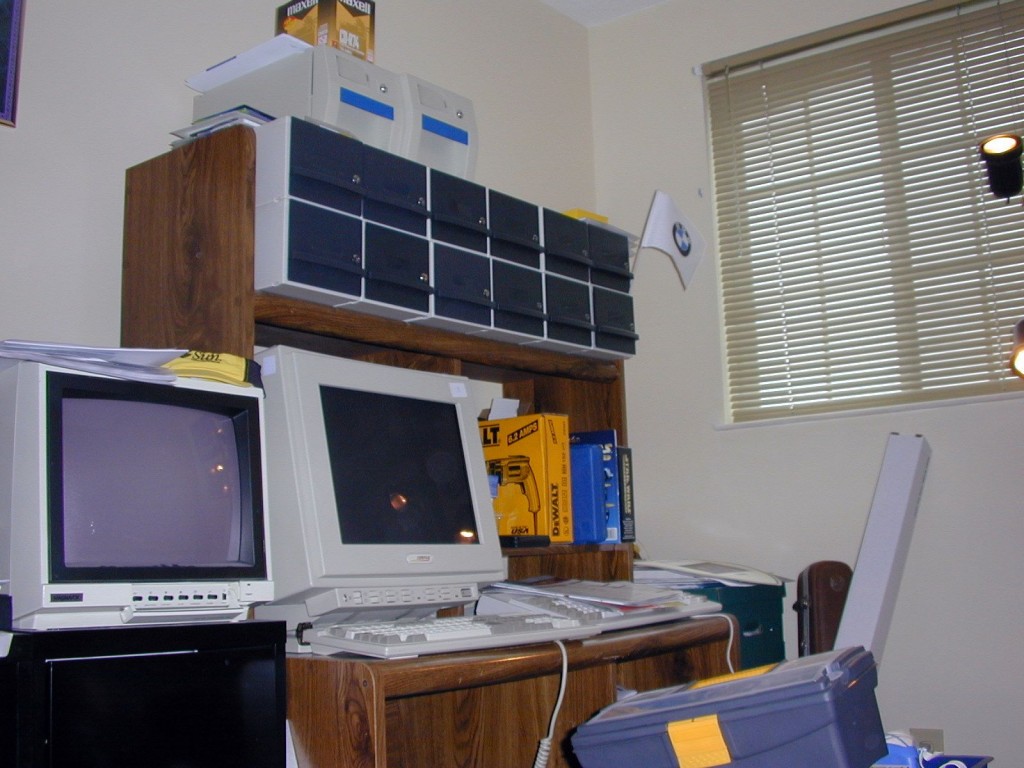
ComputerDiskCollection-1024x768So here it is, my list of computers that I have owned. This list excludes work computers (laptops, workstations, desktops, etc) and excludes mobile devices (iPads, iPhones, Windows phones, internet appliances, touch screens, and big fancy calculators – maybe they will appear in a future article)

The Commodore Years – 1980 – 1993

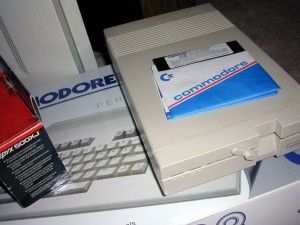
  • C128-1024x768Commodore Vic 20 – my first computer with only 5k of RAM and a tape deck for storage – yes we stored programs on audio tapes!
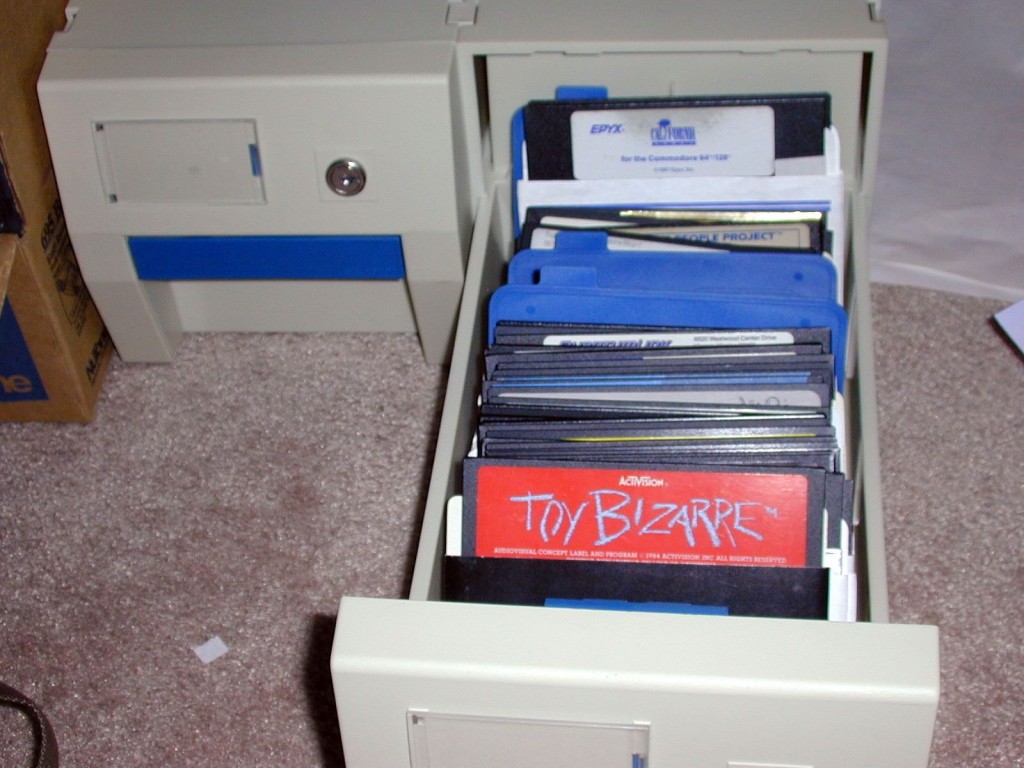
  • Commodore 64 – very briefly as I really wanted the 128.
  • Commodore 128 with 1200 baud modem
  • *Commodore Amiga 2000 with 40MB Harddrive, 2MB RAM and 2400 baud modem – 1989 – this machine cost almost $3000 and still has a very special place in my heart – which is why I still have it.
  • Commodore Amiga 1200HD

DSCN0023-1024x768


The Clone War Years – 1993 – 2007

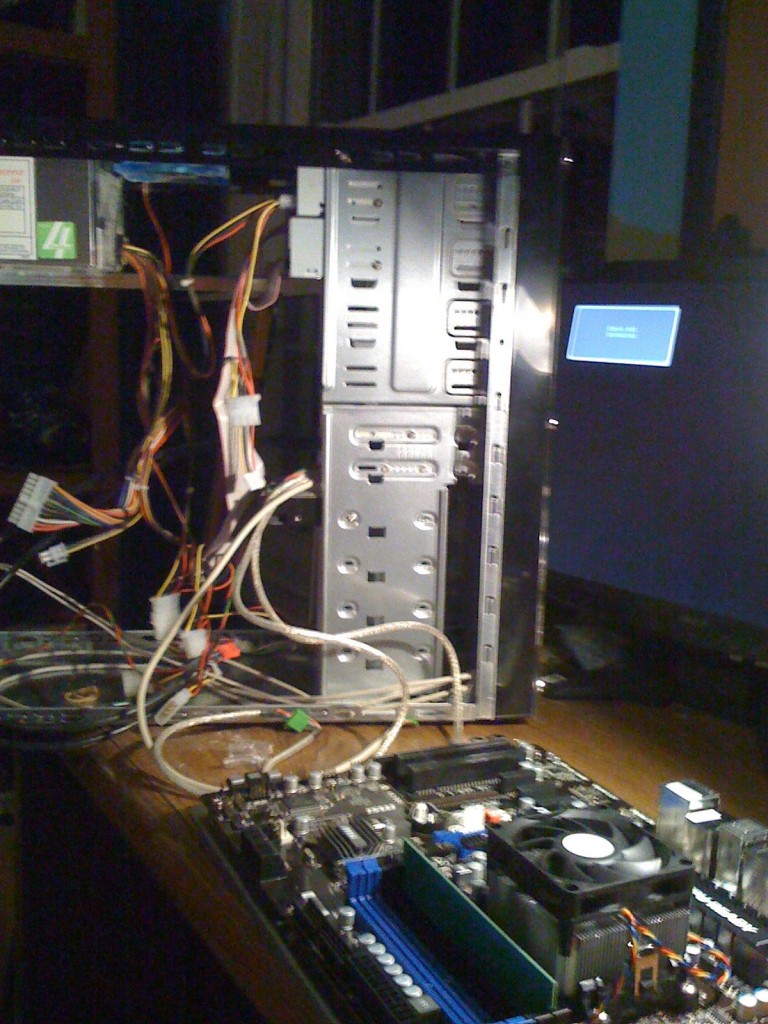
After the industry decided to abandon the Amiga and I would argue the FUN part of computers, I started building a steady stream of Windows and Linux based PCs. This started around 1993. I wanted to start my own BBS and feature both Amiga and PC software as well as gaming and to build a community around computing. The BBS software options seemed better on the DOS/Windows platform at the time. I didn’t like the idea of paying Compaq, Packard Bell, Dell, Gateway, or any of the other clone makers lots of money for substandard overpriced hardware when I could tailor the whole experience from case to graphics card to my own demands and budget. I also hated Intel at the time and built machines with AMD processors.

IMG_2359-768x1024


  • 1992-3 – Built first computer using AMD’s 286 equivalent and added a Practical Peripherals 14.4k modem to start a BBS
  • 1996 – Home built AMD-X5-133
  • 1998 – Home built WinXP AMD K6-2 300MHz, 6.4GB HD, Gigabyte GA-5AX
  • 2002 – AMD D1000 on an ECS K755A
  • Home built AMD-K6-2/400
  • AMD Athlon XP 2500+ Barton on Soyo KT600 Ultra Platinum, 180GB HD, 768MB RAM
  • Home Automation Server- AMD Sempron 2.6GHz on Biostar K8NHAG-07 with 512MB RAM
  • Home built WinXP HTPC AMD Athlon XP 2500+ Barton on Soyo KT600 Plus, 160GB HD, 512MB RAM

The Apple Years – 2008 – 
As mentioned at the start, when the aluminum body Mac’s running OS-X came out, it became my new pursuit to try one. These machines were not only beautiful on the outside but had a stable OS that wasn’t built like a house of cards (yes I’m talking about Windows Mr. Gates). When we finally saved enough to buy our first Mac it brought back the pure joy and fun that I had missed since the Amiga years. I still have a couple of rogue Windows 7 boxes in the mix currently but only because I had previous investments in license keys for HomeSeer and SageTV.

IMG_0803-1024x768


  • 2007 Mac Mini
  • 2008 2.4GHz Apple MacBook Pro
  • Home built HTPC (Windows 7) AMD Phenom II X2 560
  • Home built computer for son (Windows 7) AMD Phenom II X2 555
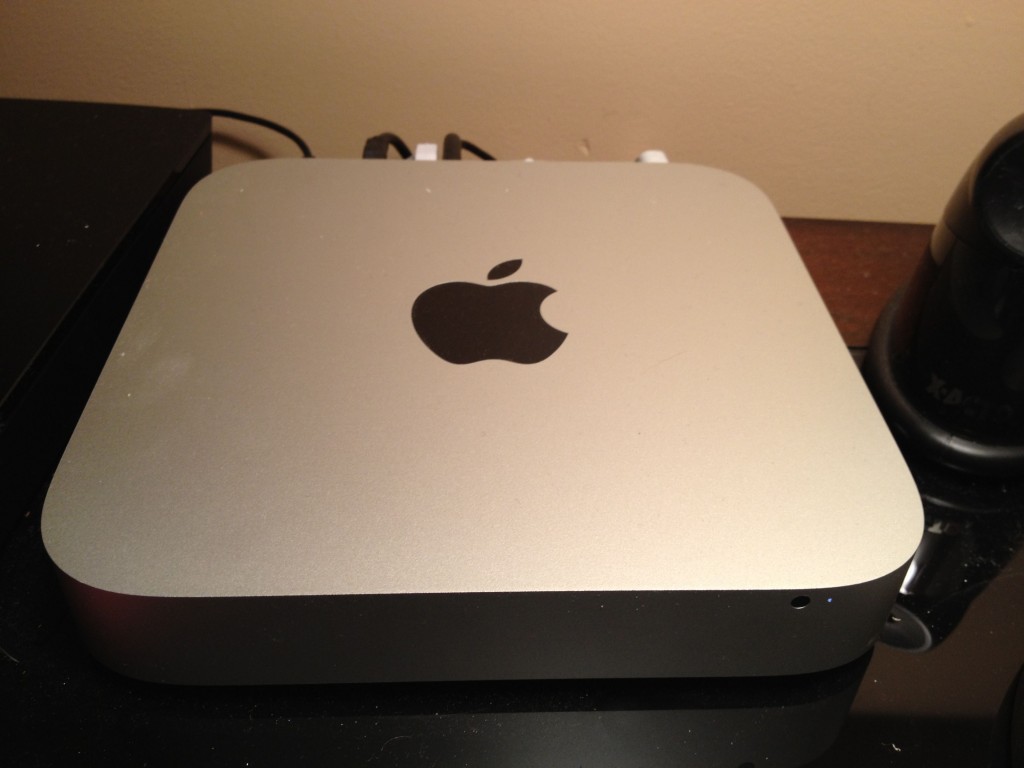
  • 2011 Mac Mini
  • 2011 27″ iMac
So there it is a brief journey thru the computer parts of my life.  Over the years I have used  two other boxes that were simply spectacular in their day but way too expensive for me to own – these are the SGI Indigo and the NeXTcube.  Let’s hear from you?  What hardware and software brings a twinkle to your eye?

C64Disks-1024x768